
Web Interface
The Web Interface is the primary way to interact with Axiom: send messages, watch background tasks, edit memory, manage providers and skills, and tune behavior in Settings.
With the default Docker Compose setup, you open it at http://localhost:3000. If you changed HOST_PORT in your .env, use that port instead.
Admin vs. user. Most pages are admin-only — only users with role
adminsee them. Regular users land on Chat and stay there. The locked screen on every other page is intentional: an Axiom deployment is single-tenant by design, and configuration is the operator's job.
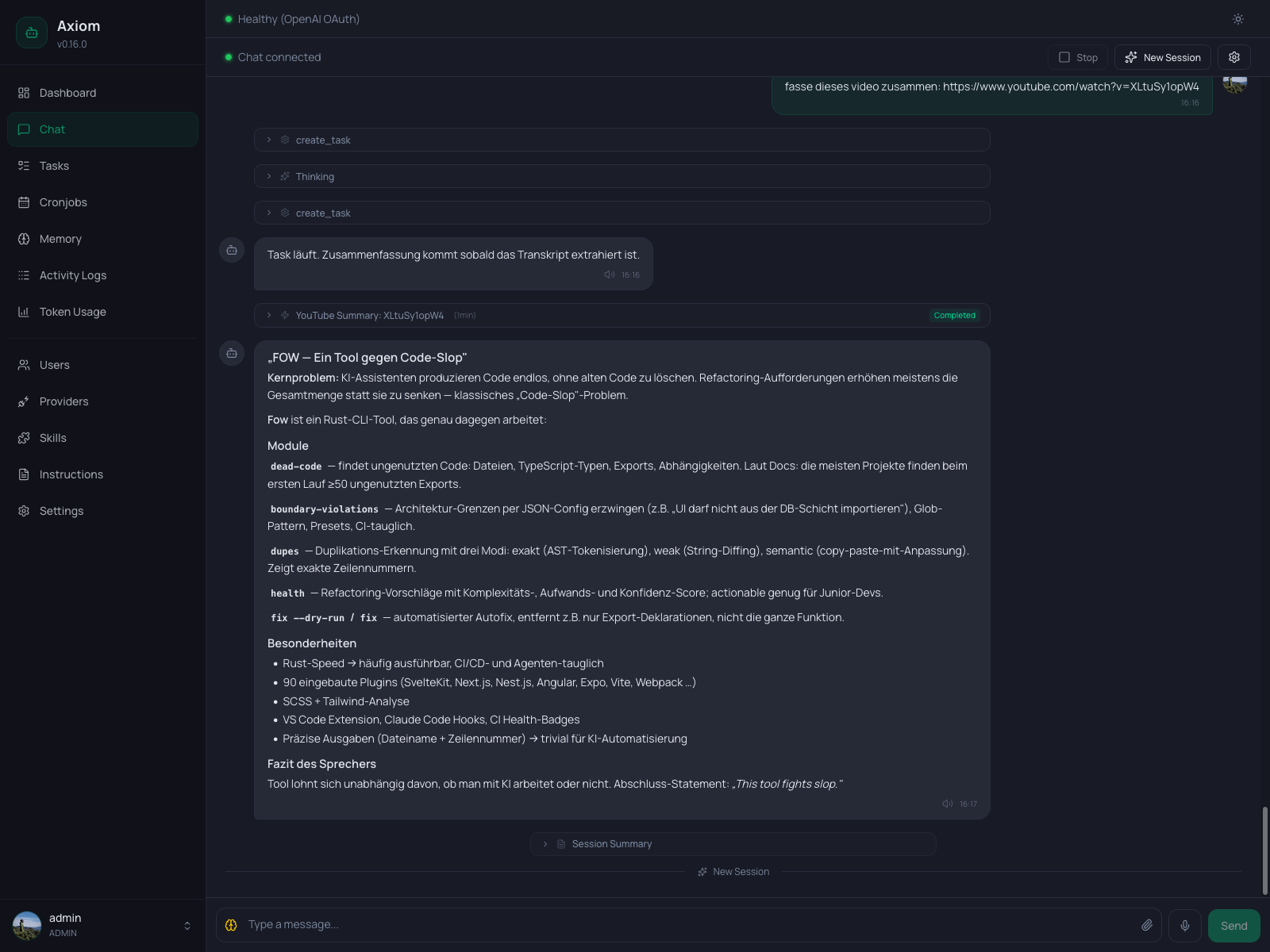
Layout
The app shell has three regions:
- Sidebar (left) — version badge, navigation, and the user menu at the bottom. Collapses to an icon-only rail on narrow desktop windows and to a slide-over drawer on mobile.
- Page header — title, subtitle, and per-page action buttons (refresh, save, create…). On mobile the buttons teleport into the global header bar to save vertical space.
- Page body — whatever the current page renders.
The sidebar is the canonical map of the interface. Every entry below has its own dedicated page in this section, except for Settings — that one is large enough to have its own Settings tree.
Pages
| Sidebar entry | What it's for |
|---|---|
| Dashboard | Operations overview — provider health, activity today, active tasks, recent health checks. |
| Chat | The main agent conversation. Streaming, attachments, voice input/output, thinking level. |
| Tasks | List, inspect, kill, and restart background tasks. |
| Cronjobs | Create, edit, and manage recurring scheduled tasks and reminders. |
| Memory | Edit SOUL.md, MEMORY.md, daily notes, user profiles, and the wiki. |
| Activity Logs | Browse historical agent activity — tool calls, sessions, and errors. |
| Token Usage | Token consumption and estimated cost broken down by provider, model, and time range. |
| Users | Add, remove, and manage local accounts and Telegram-linked users. |
| Providers | Configure LLM providers and pick the active default model. |
| Skills | Install, inspect, and toggle skills. Browse the built-in tool catalog. |
| Instructions | Edit AGENTS.md, TASKS.md, HEARTBEAT.md, and CONSOLIDATION.md — the agent's behavior rules. |
| Settings | Runtime configuration — provider, scheduler, telegram, voice, secrets, etc. |
Conventions across all pages
A few patterns recur on almost every admin page. Knowing them once means every page reads faster:
- Page header with a single primary action. The header carries the page title and at most one or two primary buttons (
Refresh,Save,New …). Destructive actions live inside row menus, never in the header. - Save is explicit. Forms (Settings, Cronjobs, Providers, Memory editors) never auto-save. You see exactly what changes when you click
Save. - Confirm dialogs for destructive actions. Killing a task, deleting a cronjob, removing a user, or resetting memory always goes through a
ConfirmDialog. Destructive confirm buttons are styled red. - Polling, not WebSockets, for list pages. Tasks, Activity Logs, and the Dashboard refresh every few seconds via a poll loop. The Chat page is the exception — it uses a persistent WebSocket so messages stream live.
- Empty states are helpful, not loud. Every list page has an empty state with an icon, a one-line title, and a sentence explaining what would put rows there.